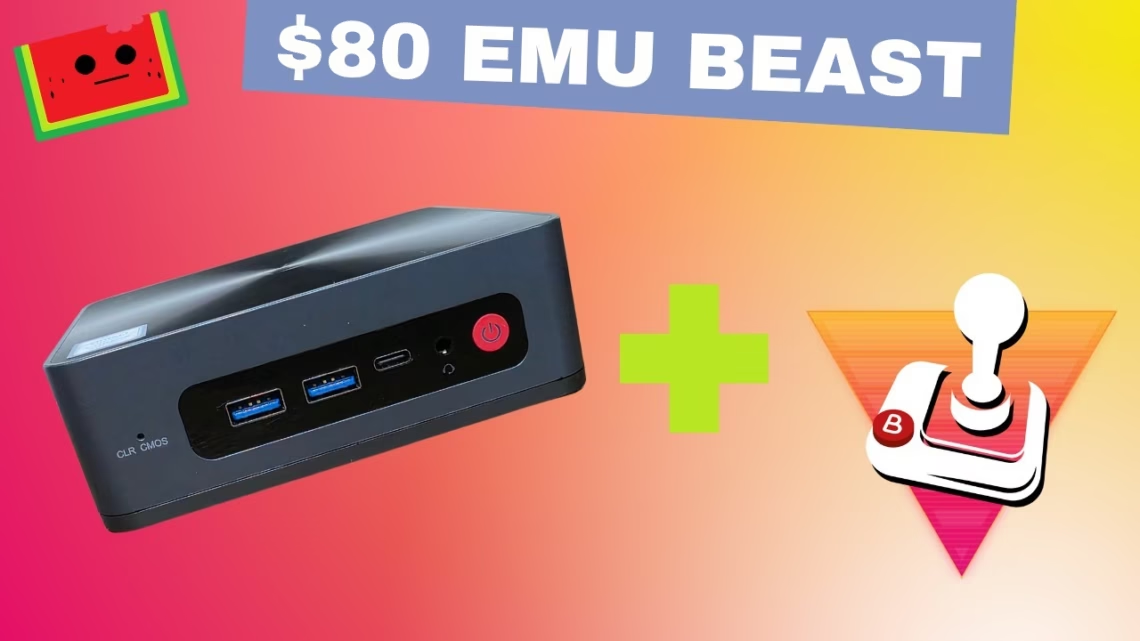
We turned a pawn shop mini PC, a Beelink SEi8, into a full living room gaming system using Batocera Linux. We paid around $80, and it plays everything up to PlayStation 2.
The hardware
The SEi8 has an Intel Core i5-8279U, 16GB of RAM, a 500GB drive and Intel Iris Plus Graphics 655. After getting a charger and checking it worked, we wiped the drive and installed Batocera directly on the internal NVMe SSD. Prices for these mini PCs have gone up lately, so wait for Amazon sales, watch eBay and check local pawn shops.
Batocera is a free, open-source OS made for retro gaming. It supports a huge range of systems including NES, SNES, N64, PS1, Dreamcast, PSP and PS2, with built-in scraper tools for artwork, customisable themes, Bluetooth controller support and an EmulationStation front end that works well with a gamepad.
What you’ll need
- A mini PC or desktop (we used the Beelink SEi8)
- A USB 3.0 drive of at least 8GB
- A computer to create the installer USB
- The Batocera image from batocera.org
- Balena Etcher for flashing
- A wired or Bluetooth controller, such as a PS4 controller
Step 1: Create the Batocera installer USB
Download the latest x86_64 version from batocera.org (version 41 when we filmed). Open Balena Etcher, select the Batocera image, choose your USB stick and press Flash. This erases the USB drive, so make sure nothing important is on it.
Step 2: Boot from USB and install to the internal drive
- Insert the USB drive into the Beelink and power on. Tap the boot menu key (usually F7 or Del on Beelink) and choose the USB stick. Batocera boots into EmulationStation.
- Connect a controller by Bluetooth or USB and press START to open the main menu. Batocera auto-configures most controllers.
- Go to Network Settings > Enable Wi-Fi, wait, and enter your network name and password. You need an internet connection because the installer downloads files.
- Go to System Settings > Install Batocera on a New Disk and select the internal NVMe SSD. This overwrites the drive, so back up anything you need.
- Confirm, let it format and install, then reboot and remove the USB.
Step 3: First boot and adding games
The Beelink now loads straight into Batocera. Connect to Wi-Fi again under Network Settings, then transfer BIOS and ROM files from another computer: type \\BATOCERA\share in Windows File Explorer, or look for Batocera under Network on a Mac.
If you followed our earlier Batocera USB stick guide, you can plug that same stick into the Beelink and copy ROMs and BIOS straight over with the built-in file manager (press F1; you’ll need a keyboard and mouse). It also brings your artwork over, so you don’t need to scrape again.
Performance
- PlayStation 2: ran at 1080p and 60 FPS, which is excellent for a mini PC at this price
- Saturn, N64, GameCube: run without effort
- Dreamcast: looks incredible on our living room TV
- Wii: looks and plays great with a Bluetooth controller mapped to mimic the Wii Remote, in titles like Mario Kart Wii and Tatsunoko vs. Capcom
- PSP: looks stunning in widescreen. Ridge Racer 2 is still a beauty
The SEi8 is small enough to tuck behind a TV or in a drawer. Pair it with a Bluetooth controller and you have a plug-and-play living room retro system.
Tips and tricks
- Kodi is built in. Batocera includes the Kodi media centre, so the mini PC doubles as a streaming box. A 4K video file played without issues for us
- Rendering settings: 1080p at 60 FPS was the sweet spot for looks and performance. We saw tearing and fixed it by enabling V-Sync
- Fix a bad scrape: highlight the game, press and hold the south button (A or X depending on your layout), choose Scrape and rename the title to improve the search results
Final thoughts
For $80 we got a plug-and-play retro machine that boots in seconds and supports everything from Atari to PlayStation 2. An 8BitDo controller connected over Bluetooth and worked instantly. We recommend checking local pawn shops, because you never know what you’ll find.