Not sponsored. We bought the SuperStation One with our own money.
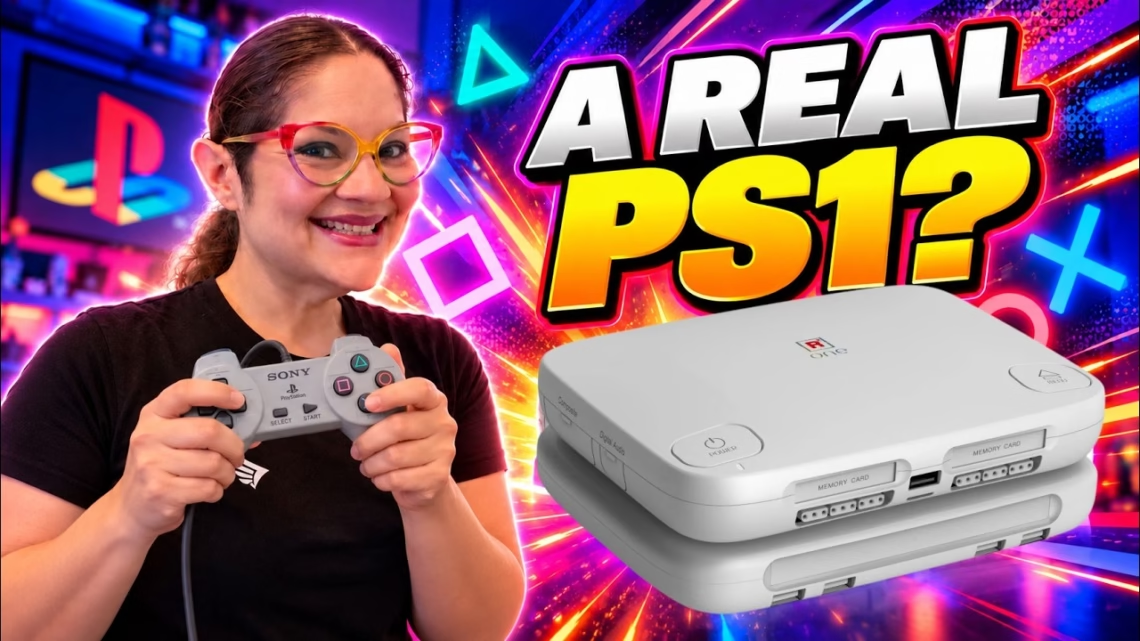
The Retro Remake SuperStation One is a dedicated FPGA console designed to recreate the original Sony PlayStation experience. We set it up, played games on it, and decided whether it’s worth your money.
What is FPGA, and what is in the box?
Software emulators simulate a console’s hardware in software. An FPGA (field-programmable gate array) can be programmed to recreate the logic of the original hardware instead. The SuperStation One runs on the open-source MiSTer FPGA platform, which provides cores for many consoles, computers and arcade machines.
It looks like a replica of the PS1 Slim, with ports for original PlayStation controllers and memory cards, and a lot of video output options. You’re not limited to PlayStation either: compatible MiSTer cores cover the TurboGrafx-16, Neo Geo, Sega Genesis, Super Nintendo, 3DO and plenty of arcade games.
We pre-ordered ours in January 2025 and received it in June. The Founders Edition was $149 then, and we also pre-ordered the SuperDock, an optional attachment that adds a physical disc drive, for a total of $242. Today the standard SuperStation One is listed at $249, with a bundle that includes the SuperDock.
Build quality and connections
The molded plastic enclosure feels solid, and the PlayStation-inspired design looks right at home next to other retro consoles. Ports are everywhere:
- Two ports for original PlayStation controllers, using SNAC (Serial Native Accessory Converter), which lets original controllers talk directly to the FPGA core
- Built-in Wi-Fi and Bluetooth, plus NFC support
- The SuperDock’s disc drive for original PlayStation CDs
- Extra USB-A ports, an infrared receiver for the included remote, and an internal M.2 slot for NVMe storage
We have a couple of complaints. The power and menu buttons on top rock a little when you run a finger over them, so they work but don’t feel as solid as the rest of the enclosure. Some people also say the SuperDock’s disc tray feels flimsy. To us it feels like a typical computer disc tray: nothing impressive, nothing terrible.
Console Mode
One of the best features is Console Mode, which lets you customise how your game library looks. You can use traditional lists or a more visual layout with cover artwork, and you can download artwork for your games. Instead of a bunch of file names you get a proper library with game covers, which makes the SuperStation One feel like a modern dedicated console. See our Console Mode setup guide.
How it plays
Pretty much as we’d hope. Games look and feel remarkably close to the original PlayStation, and plugging in an original controller makes it better. In our testing the analog sticks and rumble worked without issues.
The console supports original PlayStation memory cards. We didn’t have one to test, but the PlayStation core also supports virtual memory cards that save to the system storage.
Playing original discs with the SuperDock
This is the big reason we wanted the SuperDock. With our setup, physical CD games are reached through the standard MiSTer interface:
- Exit Console Mode and return to the main MiSTer menu.
- Look for the physical disc cores.
- Insert your PlayStation game into the SuperDock.
- Select the appropriate core and launch the game.
You’re now playing from an original PlayStation CD. Interestingly, you can open the tray while a game runs and it doesn’t stop immediately, because some of the game data is already loaded into memory. If the game needs more data from the disc, opening the tray can interrupt play.
Our verdict
We really like it. The build quality is solid, the design looks fantastic, and there are more connectivity options than most people will use. The biggest selling point is the experience: original controllers, original memory cards and physical CDs make it feel much closer to a real PlayStation than typical emulation. Because it’s built on MiSTer, you also get access to a huge range of other retro systems.
Our biggest complaints are minor: the buttons could feel more solid, the software still needs some configuration, and the SuperDock experience could be better integrated into Console Mode.
Is it worth $249?
If you want an authentic PlayStation experience with original controllers, physical discs and FPGA technology, we think it’s a great option. If you just want to play retro games, there are cheaper routes. For that money you can get a used mini PC, emulate many more consoles and get higher internal resolutions and graphical enhancements. We cover that in our guide to installing Batocera on an old computer, because we love Batocera.