Are you experiencing issues running the following Model 3 games on the Supermodel Emulator for Steam Deck?
- Fighting Vipers 2
- Virtua Fighters 3
- Star Wars Trilogy
- Virtua Strikers 2
- Virtual On: Oratorio Tangram
So did we. After much searching on the Internets, we found a forum post that detailed how to solve this issue. Turns out, some roms have incompatibilities or missing files and that causes the Supermodel emulator to hang.
If you want a video version, watch our latest video on YouTube:
Written version:
1) Go into Desktop Mode (Steam Button -> Power -> Switch to Desktop)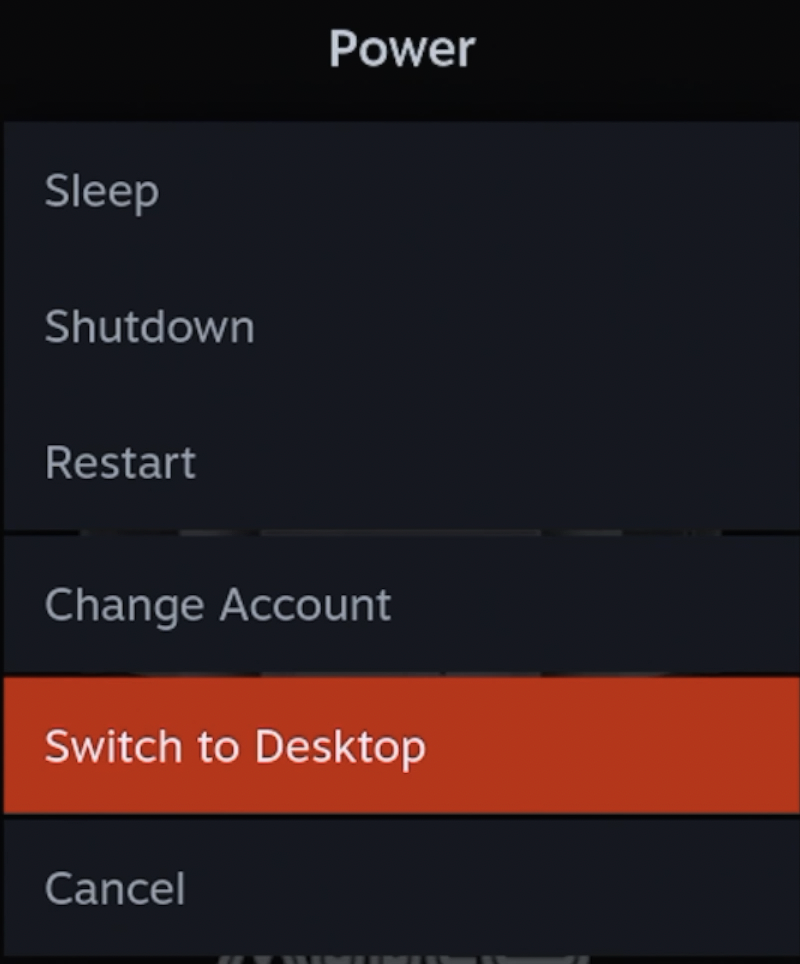
2) Open Dolphin File Manager and select “Show Hidden Files” from the hamburger menu. Navigate to Home -> .supermodel -> Config. Inside you will find a file called Games.xml. Important: Make a backup of the Games.xml file by copying and pasting it into another folder.
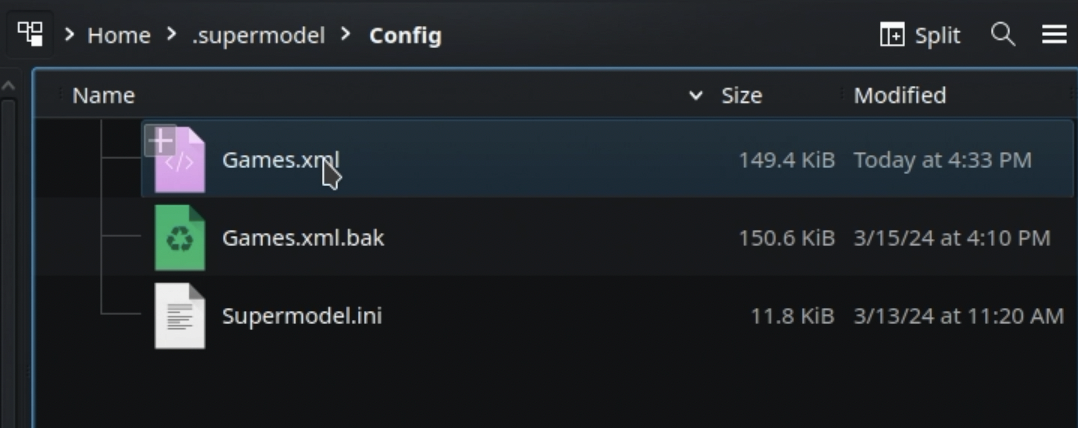
3) Now go back to the original file, right-click, and select Open with Kwrite.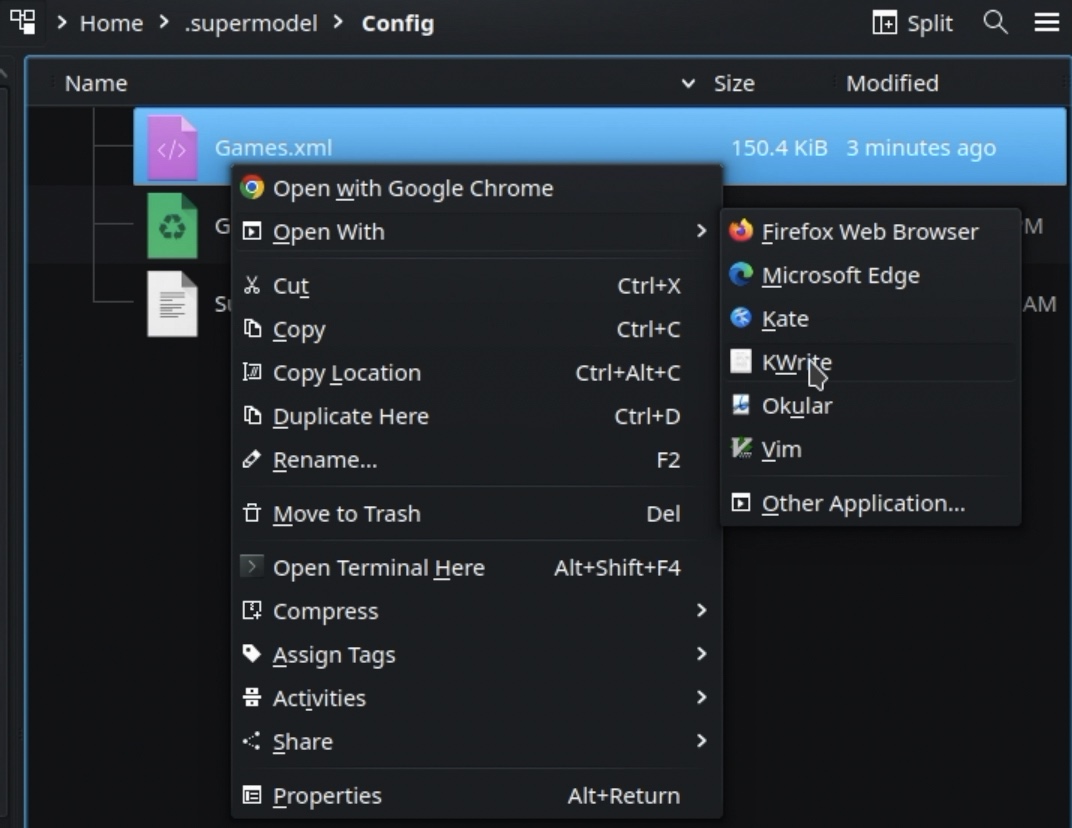
4) Next, edit the file by searching for the game that is not working, press Control+F, and write the title of the game that is not working. For example, imagine we are looking for Star Wars. 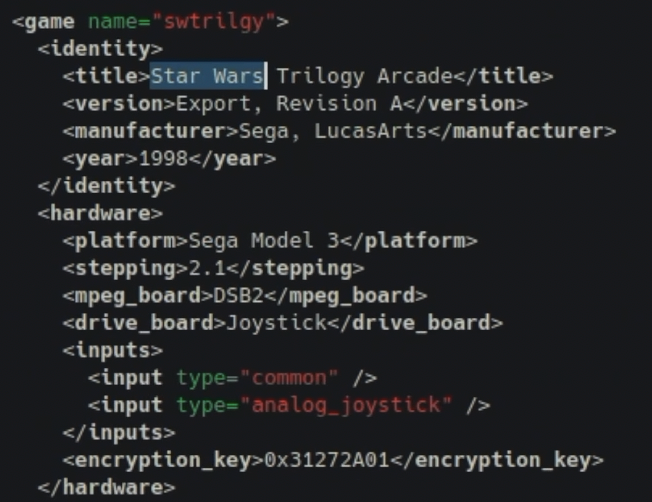
6) Scroll down slowly and look for the region tag that has the name driveboard_program. Delete this entire tag and save. Your game should now run.